Saturday, April 16, 2011

DIY with your kids

I must start off by saying that this was the most enjoyable 'assignment' I have done since I started grad school! For my DIY project I wanted to try and do some DIY projects with my 5 year old daughter. I spend quite a bit of time looking at different projects and kept finding more and more projects that I wanted to do... and more and more websites that I wanted to visit. The best websites that I found (some from the previous lecture notes) were http://familyfun.go.com/ , http://makeprojects.com/ , http://www.ehow.com/ , http://www.instructables.com/ , and other fun sites that had kid projects. Of all of the cool ideas, that ones that we actually made were:

Groovy Lava Lamp

http://familyfun.go.com/crafts/crafts-by-type/educational-craft-activities/science-projects/groovy-lava-lamp-860014/


This project is all about oil and water not mixing. Basically you take a bottle and fill it about 2/3rd of the way with water then fill the rest with water that has some food coloring in it. Then to actually make the lava effect, you put little pieces of alka-seltzer in the water and it bubbles and makes the water rise through the oil. It didn't work very well, but it was fun to do. The bubble didn't last very long and the alka-seltzer kept floating to the top.


Marshmallow Catapult

http://familyfun.go.com/crafts/crafts-by-type/educational-craft-activities/science-projects/marshmallow-catapult-874571/.


Making the marshmallow catapult was also pretty fun, but with mixed results. One of the problems with this one is that the instructions were really vague and didn't give enough detailed information so we had to guess a little bit. It was pretty fun to make and I think that if we made a Marshmallow catapult 2.0 it would be much more successful.


CD Hovercraft

http://familyfun.go.com/crafts/crafts-by-type/educational-craft-activities/science-projects/ride-on-a-hovercraft-847787/


The CD hovercraft was also somewhat less than successful. It kind of worked, but the wooden spools that I bought were too small and the balloons kept coming off. I got some bigger spools to try again, but the first version was not very good. Hopefully the next round will be more successful.


Duct Tape Fun -

Our most successful craft came from making stuff out of Duct Tape. I must admit, that I was quite impressed that my daughter did most of this on her own. She wanted to make a bag, and so I said go for it. I helped her start the sides of the bag after she made the bottom, but she did most of the bag by herself (including straps and a pocket). She spent almost the whole weekend playing and making stuff out of two roles of duct tape. I couldn't help but feel so proud of her for being so creative.


Finally we did the nice Mentos and coke experiment, just for fun.


It was really fun to spend some time with my kid, and she loved having some attention from her dad that tries to play with her, but doesn't always do a good job of it. It was neat to teach her some actual scientific information about how some of these things work, and I hope that more of this DIY movement continues to spread.

Metamorphosis

This is a group shot of our upcycled jars and plastic bags! I would have never thought of this idea without having seen it on blogs or on Etsy. It is helpful to have visual aids to help imagine new possibilities. New media certainly affords numerous avenues I cannot fathom the possibilities for the future!
Above is a finished wallet I created weeks ago. I planned on doing something else - such as a shopping bag, but my sewing machine needle isn't working correctly and I don't know enough about sewing to figure out how to fix it. I wanted to show what I have created through this process. It's not the "best" product, but it's functional!

In order to complete this project, I followed the instructions that I posted earlier - to fuse the plastic. Then I cut and sewed the fused plastic together to make a pocket, then folded the top down. I used a zig zag and a straight stitch for decor.
Here is a closer look at the "slipcovers" I made out of "orphaned socks" - before I found this innovative way to decorate the jars, they looked horrible - with peeling labels and glue collecting dust. After cutting off the toes of the socks, I slipped the socks over the jar - and presto! Tinkerbell is now decorating the jar holding the paintbrushes! The girls love how the craft jars are decorated with their favorite princesses - and I think it looks cute, too! Now, I just need to find some kind of fabric that "feels" more like summer - this reminds me too much of winter!!

Maria's DIY project - A Video clip with iMovie

Figure 1: Creating the project
I spent this week debating on my studio project until yesterday. I knew I wanted to create a movie using iMovie... but what should my theme be? I wanted it to be something meaningful to me, something that I can share and express myself. Last night I remembered that... mother's day is approaching... what a great opportunity, right? My mom has been asking me to create a collection of pictures and dent them to the family. So here I am, blogging about my experimentation with iMovie, creating a movie with pictures of the family. After watching a short tutorial (that always comes up when I open iMovie), I created my project (See figure 1).

Figure 2: The buttons to select and import music 
and images, text and transitions in iMovie.

I went through a million pictures, until I choose the ones I wanted to include in my movie! And then... it was time to choose a song. my mom like Frank Sinatra, so I picked a jazz piece that seemed to be happy and matching the whole theme (see Figure 2). I then put the pictures in order in the working space and started experimenting with the transitions, the time, and the feeling of each picture (see Figure 3). I have to say that this whole process brought wonderful memories in my mind :)

Figure 3: The working space in iMovie, the 
import section and the main screen.
One important implication of new media in the 21st century is that new media allows so much space for creativity and self expression. Learning moves beyond of the conventional boundaries of school and new doors are opened that lead to open learning practices, on the way, and by the way learning. It was a learning process for me, as I mastered a new tool for making movies. Learning does not have to be aligned with the curriculum and the standards. Learning that is useful in real life is what we should address to be most valuable. Learning is lifelong and powerful means of participation.


Video: The final product of my studio work: a video clip that I will send to my mom on mother's day :)

As I am learning this new technology, I am, at the same time learning things about myself. How confident and competent I am with new media and technology, but also how much I miss my family: my parents and my two little brothers.

Thursday, April 14, 2011

Tonight, I worked on my DIY project(s) - I have taken odd socks and cut the toes off and slipped them onto glass jars to decorate the storage the girls use for their art supplies. I have been collecting the glass jars for some time, now. I kept some of them sock-less in order to see the objects. However, I have created slipcovers out of socks for the other jars in order to hide the glue/labels.

I found this idea on the internet when researching upcycling ideas - Upcycling is recycling/reusing items - but to an extreme! When one upcycles, they are taking their reused items and "spruce'n'" them up to be a bit more than a reused item - it is conceptually a different item. For example, what use to be a plastic bag is now a piece of fabric which has been sewn into a wallet. Another example are the socks - which are no longer socks - they are slipcovers!

Below is a website that shows how to fuse plastic - in order to make wallets, bags, bibs, and much more. Below the website link is a photo of the "orphan socks" project that inspired my slipcovers for my art jars! More to come about my specific projects this weekend!

Wednesday, April 13, 2011

Career path of the future

I have been a little slow in watching the lecture material from last week, but I just say WOW to the ideas there. Some of the ideas are just so incredible and have such potential for change in the future, it is kind of hard to wrap my head around. I love the whole idea of the DIY and will post more about my projects with my daughter later this week, but we have been having fun and I will just say that my daughter has made some pretty awesome stuff out of duct tape!

One of the comments (by Allison) about the Tinkering school really got my attention. Her comment simply was asking if people would chose different career paths if they were exposed to this kind of school as a child. For some reason the phrase 'career path' seemed to jump out at me and say (in the voice of my daughter), "what do you mean path? I don't want to have a single path that I follow through life." This really got me wondering about what future 'careers' will even be for many people. I have heard talk that we are already entering a 'gig' economy where many people will just go from gig to gig (like a musician) rather than be tied to a single job. This may be someone scary to some people, but I think it can also be so liberating too. To think that the idea of a single path that you have to find and get on to be successful seems so overwhelming. I like the thought of being able to work and create new opportunities in the future.

Perhaps I am just rambling a bit, but I think that the jobs of the future are also going to be very different.

Justin

Sunday, April 10, 2011

DIY - From Atoms to Bits and Back Again


This week's readings helped me to understand DIY as a sub-culture of New Media culture that is emerging or has emerged right under our noses! Without even realizing it, we have been participating in activities and learning environments that are actually more complex than simple hobbies - The articles gave me a sense of understanding Crawford's Useful Arts as possible careers, while Gershenfeld's Fab Labs are places where anything you can dream can be created! All in all, I never associated that DIY could be extended to the workplace (for example, sheet metal creations) - I think of Martha Stewart when I think of DIY - but now I think of MIT Fab Labs!

Beuchley's LilyPad Arduino brings BIG ideas to the home front in regards to learning how to program toys, clothing, bags, and just about anything that can be attached to it. By making this so accessible to the general public, it opens the doors further to the creative markets and education opportunities. Afterall, if children become engaged in programming their own toys - they will learn all about circuits before they realize it!

Beuchley's article about the computational sketchbook also amazes the reader with all the possibilities one can do with such technology. I did have trouble imaging what this paper and paint can do - even with the photographs, I want to see it, touch it, and work with it so I can understand it better. How can teachers integrate this into the learning environment? What an idea to have the students and teachers learning how to use this together! Wouldn't it be wonderful to just drop this kit off in a classroom and tell them "I'll be back in 90 days to see what you all created!" Of course, I would want to have them creating tutorials as they were making their creations, just as the peers do in the Fab Labs!

I see this heading in the direction of classrooms evolving into Fab Labs - where students will be inventing and creating - sharing and publishing their work. This interactive learning that is happening in the FabLabs and with the LilyPad is the type of learning that children of the Tech Age need to have access to - in order to stretch and challenge their knowledge they already have developed over time using computers and playing with technology.

Finally, I hope to see more schools like Tinkering Schools and Brightwork Schools open around the United States. Places that embrace construction and flexibility will allow for more technical learning to occur. Afterall, having collaborators as your guide is more appealing to a learning environment that embraces constructionism.

Tuesday, April 5, 2011

Maria's Concept map with DIY links

"Craftsmanship entails learning to do one thing really well, while the ideal of the new economy is to be able to learn new things, celebrating potential rather than achievement." (Crawford, 2009, p.19)
For this week, I updated my concept map... once again :) The new color for this week's readings is yellow (see image below). My initial understandings of the concept of DIY was mainly related to the creation of useful objects, e.g. going to IKEA and buying the parts of a table and then assembling it yourself. As I got to learn more about this type of work in relation to the arts, I came to understand what Gershenfeld characterized to be "useful arts". So DIY can also be a form of art, through which we can create anything we want, with the tools and materials we have available, and sometimes conveying some sort of messages (other times the product is simply decorative).


Click on the image to view the map. You can also see it HERE.

With the reading around LilyPad and all the materials on Computational Sketchbook, the conductive paint, the Living wall, I am realizing the potential that these DIY projects have, which is not only utility (some have no practical utility) but also creative, personal expression. One can improvise and create or sorts of stuff, like for example the sketchbook that Buechley presented. Indeed, digital elements are brought into the real world and become embodied in it, through our interactions with them. I mean, the LilyPad is a very interactive digital tool that becomes one with the real world, as we manipulate it and move it around as we would with a battery, or another object.

What would be interesting to explore, apart from the potential for creativity, is the potential for learning with such technologies. For example, learning about circuits through these practices is a very powerful way of engaging students in complex and difficult concepts in the classroom. What would that mean for formal learning environments? How would we introduce such technologies to teachers and also a curriculum that responds to the needs of the school?

I think that the future of such technologies is promising in relation to the affordances provided. We are heading towards a participatory culture that is open and welcomes new opportunities of crafting, as Crawford says in the quotation at the beginning of this blog. The examples in the readings and in the videos of this week are inspiring for new kinds of creation and participation. For example, storytelling would be greatly expressed and communicated through projects like LilyPad and materials like conductive paint. If I had an opportunity to create something with those, it would probably be a story but at the same time, with taking lots of screenshots and videos throughout the process and create a video in the end showing both the creation process and the message/story I would like to communicate...

Sunday, April 3, 2011

Maria's DIY adventures

So this week I experimented with a couple of DIY stuff. This year, I wanted to learn how to make my own bread, and I have to say, I am enjoying the process. Now that I am becoming an "expert" baker (not), I started making alterations... Adding sunflower seeds, nuts, cranberries, etc. It is so tasty! Lately, I started experimenting with the baking process: Instead of putting it in the stove, I am taking the dough and I toast it... making paninis! My latest invention was the banana bread... it tastes delicious :) I looked online for some recipes but I ended up making alterations and coming up with my own version of banana bread.

A couple of days ago I stumbled upon this video:
 
It is a very interesting video, showing different types of DIY communities and DIY ideas. We are all makers was the phrase that made the greatest impression to me. By nature, we grab stuff and we manipulate them, we create products, we express ourselves and we are being creative. From bread making and all culinary arts, to crafting, to video creations and to remixes.

I decided to create a video to upload on YouTube (haven't decided on the topic yet). I created videos a few years ago, but never thought the creation process in terms of the topics we explore this semester. I think that the future of new media is leaning towards a kind of interactive participation that allows people to create freely, but also to create discussions around the products. It seems to be a future that affords opportunities for collaboration to a greater extent and for creative expression.

The DIY spaces also provide opportunities for collaboration and creative expression. People can take what is out there and generate new ideas (powerful ones, like Resnick argues) and come up with new forms of DIY products. For examples, the LilyPad provides opportunities for people to create all sorts of products and to participate in the communities in their own, unique ways. I think that, and the conductive paint projects (Sketchbook) and work that the MIT lab leads is a very powerful media that alters the way we look at participatory learning and creativity.

DIY- Adventures of Upcycling

Upcycling is a coming back trend hitting homes around the world. My grandmother use to do this out of necessity - for example, tearing old t-shirts up to make 'rag rugs' - Now we are doing it as a way to be creative AND to help keep the environment clean. I discovered the 'art of upcycling' when exploring www.etsy.com for photography props. Some items I have seen are purses, suitcases, jewelry, clothing, and so much more. Here are a few recent examples:


In search for how to make something from my plastic Target bags, I came across a blog that shows step by step instructions for sewing together plastic bags to make a tote or a wallet. I also have a wonderful book that shows even more projects and techniques for creating totes and purses from our plastic shopping bags! The blog I am referencing for this project, though, is:
http://emilymjenkins.blogspot.com/2011/02/plastic-free-february-upcycling.html

In addition, I found at the Better Homes and Garden site an interesting and useful idea for the spring and summer months - turning your orphan socks into something more beautiful and very useful -


Thus, I will attempt to create a flower pot decorated with an orphan sock and sew a tote from my plastic bags! I will be tweaking the tote directions a bit - this blog shows how to take a feed bag (already fused plastic) and converting it to a useful tote - I will be fusing the plastic shopping bags and then creating a tote. An extra step, but well worth it - after all, what in the world will I do with all of these plastic shopping bags I continue to shove into my pantry? Now maybe, I will make enough totes to take with me to the store as my future grocery bags! And these totes will make great beach bags for the summer picnics at Monroe Reservoir.

Discussion questions:
What is the future of new media”? In short, I think the future holds great potential for new media - we are already surrounded by it (whether we know it or not) - thus I believe it will be a part of our daily lives from waking to an iPad alarm to mapping our route to school using our GPS devises to our children learning in a paperless environment during the day. We will not escape the up and coming changes already in the works. New media is the future for living, learning, and creating a greener environment - by eliminating the use of paper in books, newspapers, and magazines - our children will be publishing their works before they can write with a pencil and our relatives will be eternally remembered via digital videos saved on the cloud. This type of world leads us to a type of learning that relies upon the fundamentals of constructionism - where children will create their spaces through the arts, sciences, or mathematics - online for the world to see and explore. I found the following TED talk that shares how people can make their own music - regardless of your abilities to understand how to read it or write it! MIT has created Brain Opera, Toy Symphony, and Hyperscore. MIT has taken this to another level - to help individuals not only learn to read and write music, but to use it to better their lives holistically. MIT aims to use new technologies to make new music which affects the mind and health of all. In this presentation, you will see Dan Ellsey perform using the software, Hyperscore. Dan is a quadriplegic and uses sensors that he controls with his movements to choreograph and perform his music. Please take time to watch this TED talk! To me - this is a mind blowing example of where new media is taking us!

Thursday, March 31, 2011

Cupcakian Adventures - DIY Project

Hi everyone!

I am continually inspired by the awesome studio projects that you are doing. I am a guild leader of a large World of Warcraft group. We have a particularly large female gamer base, and this last weekend, we decided to have a virtual girls night. We talked about the project and decided that I should focus baking. But, it gets better! My friend Joan (Waterlilies, H-Malganis) turned me to the website Bake It in a Cake. This site is hilarious! Basically, you take things and bake them into other things, such as Cadbury Eggs in Brownies or Peanut Butter cups in a cupcake! How fun!!

Wednesday, March 30, 2011

My timeline

Since everyone is sharing their concept maps, I wanted to share something of mine and get some feedback if you have time. We created a timeline for Constructionism. If you think I should add anything to it, or if the layout does not speak to you, please let me know!

Monday, March 28, 2011

Maria's concept map on Media Arts

"The field of media arts presents many unique opportunities for educators and researchers wanting to encourage active learning, make the schooling curriculum relevant to youths’ out-of-school interests, and teach youth how to communicate through a variety of multimodal discourses" (Peppler, 2010, pp. 29-30).
This week I worked on making my concept map even more complex. A new layer of connections contributes with information on creating with media arts and tools in order to give answers to the question "what is the role of arts, computation and digital creativity in new media"? I focus on Peppler's work on media arts, on Reas's tools and on Dewey's ideas, as well as on Sefton Green's creativity ideas. I also draw from my own experiences with my studio projects so far.

You can view an enlarged picture of the concept map HERE.

The role of the arts, computation and digital creativity is important for new media. Peppler's paper showed that impact at the Computer Clubhouse in Los Angeles. As an example, that study highlights the importance that freedom in creativity can have in the ways new media are explored, used and also in the ways they convey messages. It seems that this freedom allows experimentation and exploration within the areas of new media, and people learn through alternative ways of using tools. She promotes the ideas around learning in and out of school, and new media being the diode to such creative learning practices. Scratch is a tool that allows for experiential, experimental and active creation and learning.

Dewey was a great advocate of experiential learning and viewed the arts as an experience through which we grow our identities and knowledge. Along those lines, Reas and Peppler both reinforce this argument with their work. Reas proposes new ways of communicating with the computer, related to programming languages and authoring tools. He proposes Processing, an open source software that allow users to create easily.

Our understanding of new media derived through the ways they are used in daily life. We all design with new media, we share our creations and reflect on them. Creativity is key to how designs are reflected, and how they are being taken up by the audience. The Scratch community is a context where designs are evaluated. Designers publish that work and the community views, engages with the design, rates it, etc. This becomes a process of reflection, as members view and understand the elements that a project has that make it such.

For our designs studios, this is another opportunity for exploration, experimentation and active learning. We take the initiative to give flesh and bones to our idea, and then we share it with the community. I personally learned a lot about the role of new media for learning, as well as about the affordances that new media provide for creative expression and learning. For example, atmosphir was one of the tools that make the greatest impression to me. It is dynamic, and powerful tool that allowed me to experiment with an idea I had, develop it and share it. Whether one is a digital native or a digital immigrant, people can use them in the same ways. Literacy in new media becomes significant in such cases of authoring and digital production.

Sunday, March 27, 2011

New Media Literacy_Shively


This week, I decided to try out a new mind mapping tool online (in the spirit of New Media Literacy!) To learn more about this tool, please visit http://www.mindmeister.com - In short, this was a very easy application to learn and it was super fun! It links your terms to the internet to find the 'best' images, if you so please to post an image within your map - plus so much more - oh! and it allows you to share with your team - so they can add links, too! Lots of fun actions.

Anyway, onward and upward to the connections and explanation of my concept map. Then I will address the guiding questions for the past week: “What is the role of arts, computation and digital creativity in new media? What do the readings have to say in this regard? What have your gleaned from your own experiences in the studio thus far? What might you add to the discussions in the literature?"


All of the readings, aside from Dewey's article - concerned New Media Literacy. Although Dewey is far before New Media, he is the "father of experiential learning" - which New Media Literacy's foundation for learning requires. Thus, his work connects to Piaget and Papert's work concerning constructivism and constructionism, since his work posits that creating art and being an artist is fundamentally based on the experiences an individual carries forth when designing, creating, and critiquing such work. As you can see, Dewey's work influences Piaget and Papert as well as Peppler, Reas & Fry, and Resnick. In fact, you can see that all of the scholars are connected in some way throughout their scholarship.

Peppler's Media Arts study is connected to Reas & Fry due to the Processing language in Scratch. Her study is directly a result of Resnick's scholarship and findings, since he is the "father" of the MIT Computer Clubhouse. Her framework for the study is connected to Papert's work and since Papert's work is informed by Piaget's scholarship, her study is also via association with Papert's scholarship.

Peppler's article argues that Media Arts, such as Scratch products, allow for active learning to occur. I did not read the Resnick article this week, but I have read several of Resnick's work in the past. The map I have created reflects how the computer clubhouse is an environment where constructionism and democratic pedagogy can thrive. Thus, the reason for the results Peppler finds in her study regarding Media Arts. Her study supports that programs such as Scratch is clearly an option for curriculum in the realm of art education.

This is a segway to "What is the role of arts, computation, and digital creativity in new media?" First, the arts provide a foundation for understanding how new media is designed, created and how it is critiqued. Secondly, understanding how computation is the language of new media informs users and designers how to work with the new media. Finally, new media requires designers to be digitally creative in order to stand out among the millions of new media products out there. In order to be digitally creative users must have the opportunity to be immersed in the environment to build a foundation for future learning to occur. Programs, like The Computer Clubhouse, fosters this immersion after-school - providing users an environment that promotes both the art and computation skills needed to exercise digital creativity.

Like the Computer Clubhouse, our studio time allows us to explore new media and to be designers, creators, and critics. I have gleaned a new attitude towards new media and its involvement in education. Instead of being worried that new media is ruining our children's young minds, I can rest that it is part of a sub-culture (Digital Natives) that must be nurtured so that our children can be prepared for living in the 21st century. New Media Literacy is a necessary skill for our children (and adults alike). In addition, this genre of literacy increases the "old media" literacy and numeracy skills, thus it is beneficial to practice these skills in and out of school.

Indirect questions and comments: Just some thoughts about the recent research I have been reading - here and through out the semester.

Although urban and low-income areas need environments like computer clubhouses, I hypothesize that the townships and suburbs also need environments like such. I worry that we assume that middle income and upper income families/schools provide enough support when it concerns the digital age; but I wonder what is happening when most households have two working parents or are subject to divorce - with parents not always available to facilitate positive feedback regarding new media. I worry that our children are being left to the care of "the digital age." It seems that the scholarship we are reading only concerns low-income and urban areas. What are the side effects of the digital age in middle and upper income households when there is not feedback, supervision, facilitation, and/or knowledge of what is occurring (in terms of designing, creating, and criticizing new media) while parents are working? What kind of support do ALL children need in this genre of literacy? Should we reach all income levels concerning the importance of digital literacy? Not everyone reads Fortune or articles based on scholarship. I imagine there are many parents that fear the new media and hold their children back (as a way of protecting their children.)

In addition, I understand that children in middle households/schools may have access to all the digital tools needed to be digitally creative - but having access to the tools without support is quite a different experience than given access to these tools with support. I have noticed that many of the upper income private schools have more facilitated activities in new media, but not as much in the middle income schools/homes. Is there research that is a mix of income areas? (I understand that this might be related to a funding question - shouldn't we be concerned about all children from every background? Or are these studies automatically generalized to all?) Thanks!


Monday, March 21, 2011

Touring the campus with Google Earth

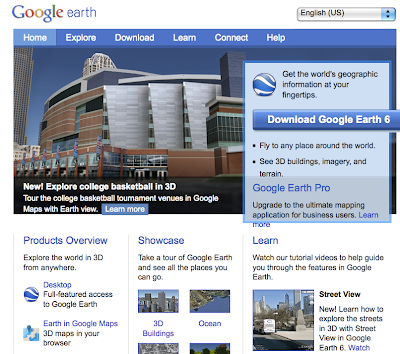
For my studio project, I have continued playing with Google Earth, and created a virtual tour of the Indiana University Campus. Google Earth really is a pretty amazing tool and the more I got into it, the more you realize how much it could do. The first thing that I did to learn about Google Earth is to go to the website and watched the tutorial videos. Some of the information I already knew, but I learned a lot of good stuff from them too.

The first thing that I did was to learn how to create and save 'markers' to your places. This is a pretty neat feature because it allows you to enter text, hyperlinks, and even save the precise view of the place you see in Google Earth. In order to not have the tour become too long for this, I chose about 6 places on the IU campus that I thought were interesting to show. From a benefit point of view, I think there could be huge benefits from the university to embrace and use this (and it looks like they have based on the number of 3-D buildings that have been created). A virtual tour could be used in recruiting prospective students, highlighting a particular part of campus, or just being used by anyone who is curious to find out more about the campus.

Once you have all of the 'markers' in your places, then I started to actually create a 'tour'. This worked ok, and I did have some setbacks. The first limitation is that while Google Earth does give some control over how the movement occurs between markers, it can be difficult to get the settings correct and sometimes it would zoom way out, before zooming back in to the next marker. One other major problem that I encountered is that you can narrate your tour using a microphone, but it seemed to cut out after about a minute and a half. I don't know why it cut our, but I had to use QuickTime to get a good screen recording for the tour, but my actual Google Earth tour file, only has audio for the first part of the tour. The third major problem that I found is that in trying to set up and join the Google Earth community so that I could post my tour and share it with others, I was never able to sign up for a new account. I tried on several occasions using all kinds of combination, but it always gave me an error message that the user name was already taken. I was never able to set up an account to join the community. To work around this, I had to same my screencast as a movie and upload it to YouTube. The video is embedded below and in some ways this would be more beneficial as more people could view it, but having the tour inside of Google Earth allows for much greater interactivity and exploration which is important for the learning process. I could share the .kmz file (Google Earth Tour file type) directly with others and they would be able to open up the tour on their own machine, but it still has the problem of no audio.


I had to redo the video, hopefully this link and the above video will be working shortly: http://www.youtube.com/watch?v=SRFf51mVjxU

Overall I think that Google Earth is pretty fascinating. Allowing users to upload video, pictures, tours, 3-D models and other artifacts to the platform make it very interesting. Hopefully it will continue to be around for a long time and it will get the support that it needs from both Google and the users.

Sunday, March 20, 2011

Little Big Planet 2 - Resources

This week I collected links to help others create levels when playing Little Big Planet 2. Like Maria’s Atmosphir, Little Big Planet 2 can be considered a game design platform, but it doubles as a game, too. Also, LBP2 provides an online community where designers can share their work. This kind of digital media is a valuable tool for those interested in creating games – it allows them to explore their creativity and gives participants a venue for self-expression.

Since I am new to this sort of digital media, I found that exploring these sites to be helpful to learn how to create levels and they were very inspirational, also. Remember, the game itself has tutorials to “play” and watch, but I do not have access to share those reels with you. In addition, these links provide cross-references to the game’s tutorials and I can share them easily with all of you.

This site is a blog created by the makers of Little Big Planet. The blog is organized well and it is easy to investigate. This blog is the first example of the many new media tools used to communicate with users of Little Big Planet 2.
http://www.mediamolecule.com/games/littlebigplanet2/

Makers of Little Big Planet also create this site and it is a compilation of tutorials and music videos about Little Big Planet. This is a second example of new media – visual and audio products to share with the LBP2 community.
http://mediamolecule.blip.tv/posts?view=archive&nsfw=dc


Flickr – This is media molecule’s Flickr site, which shares their sketches, wallpapers, digital photographs, etc. This site is a third example new media sharing and communicating details about Little Big Planet 2 – I liked this site due to the visual inspiration and the story it tells with pictures.
http://www.flickr.com/photos/mediamolecule


Media Molecule’s Facebook site connects users with the makers of LBP2. It also links users with resources to play the game and to help design levels.
http://www.facebook.com/mediamolecule


Finally, Media Molecule has a YouTube stream that users can subscribe to for recent posts of videos created by Media Molecule. This is the final example I am sharing of new media being utilized to help users learn how to design and play Little Big Planet and Little Big Planet 2.
http://www.youtube.com/mediamolecule


The wonderful connection with all of these examples is that users can also create every one of these media resources to share with their immediate community (friends and family) – for example, my daughter has created a blog about Minecraft and is currently working on video/audio recordings to post to You Tube.


She also has me post her blog postings to my Facebook page (since she is underage) – asking my friends to visit her blog. We have not started a Flickr site, but certainly could do! I am interested in learning more about bliptv.com – this is the first I have come across this web 2.0 tool. I think it is similar to youtube.com -

By exploring the resources Media Molecule has made for their game, it has inspired me to take a closer look at how we can expand our blogs and play/learn time while playing and designing games! For example, I would like to add pages to our blog so that Samantha can include more than one video game to her blog - allowing her to share a more rounded perspective of her accomplishments with this genre of media.